
Skip to content

Field inspection software

Field inspection software that connects every visit to the asset.

Trakora is field inspection software for teams that need equipment records, consistent checklists and reviewable reports in one company workspace. Record observations at the site, organise findings and follow the inspection through review.

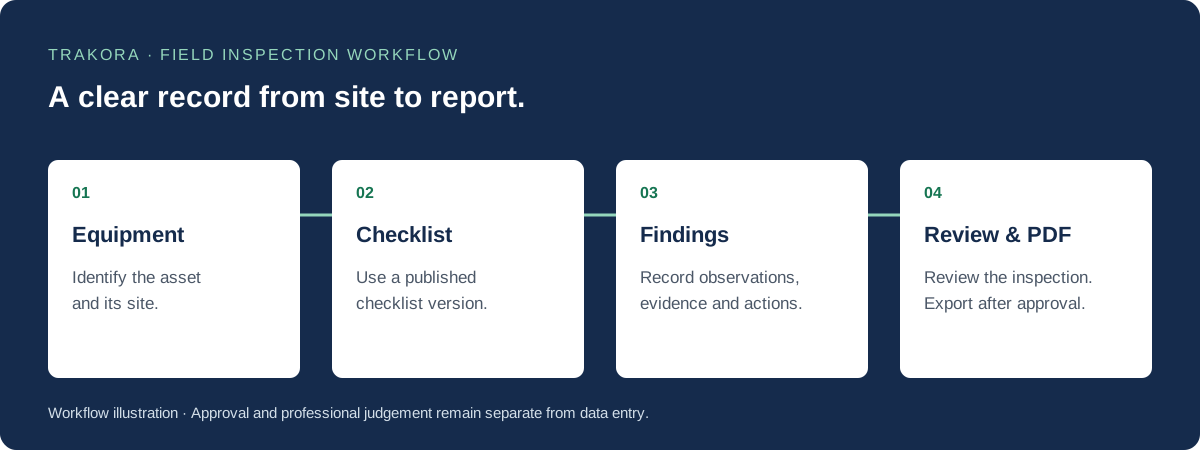
Inspection workflow: select equipment, complete a published checklist, record findings, then review and export an approved PDF report.
From equipment selection to an approved inspection report. Diagram of the Trakora workflow.

Step 01

Start with the right equipment and location

An inspection needs a clear subject. Select the installed asset and its site so the inspection record has the right equipment and location context. Shared model definitions and individual asset records serve different purposes: the model describes the equipment type, while the asset identifies the physical item your team inspects.

  • Keep equipment and site records together.
  • Use asset history to find previous inspection records.
  • Carry the location context into the inspection.

Step 02

Record observations against a published checklist

Choose the published checklist that applies to the work. Inspectors enter typed answers and notes, with evidence where required. The inspection keeps the checklist version it started with, so a later template edit does not silently change the questions already used in the field.

  • Record readings and observations in a structured form.
  • Add notes and evidence against the relevant questions.
  • Keep manual capture available when optional voice or AI tools are unavailable.

Step 03

Give reviewers a clear record to assess

Turn observations into findings with severity, recommended actions and follow-up tasks. Submit completed work for review, respond to requested changes and prepare approved PDF reports. A draft is a working record; it is not an approval or a certification.

  • Keep findings connected to the original inspection.
  • Track review status and requested changes.
  • Export approved reports for the people who need them.

Questions and answers

Inspection software FAQs

What is field inspection software?

Field inspection software helps teams record site observations, complete equipment checklists, organise evidence and prepare reports. Trakora connects that work to company assets, sites and a review process.

Can inspectors use Trakora without voice or AI?

Yes. Typed answers, notes and findings support the manual inspection workflow. Optional voice and AI tools depend on workspace configuration and provider availability.

Does Trakora certify that equipment is safe?

No. Trakora organises inspection records and report reviews. Equipment suitability, safety decisions and any required certification remain the responsibility of qualified people and the applicable inspection process.

Explore the workflow

Field inspection, digital checklists and inspection reports

Digital inspection checklists

Build and publish versioned equipment inspection checklists. Capture answers, required notes and evidence while preserving each inspection's checklist version.

Inspection reporting software

Turn field observations into structured findings, review completed inspections and export approved PDF reports with equipment context and inspection history.